13 June 2010

New Riverton FamilySearch Library - Open House

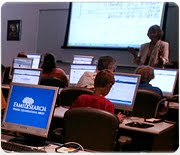
A regional type of Family History Center is opening in the Salt Lake Valley this month and has been named the Riverton FamilySearch Library. Most of the small Family History Centers located in stake centers on the west side of the valley have been closed and will be consolidated into this beautiful new facility. Roughly, 88 stakes with centers from Magna, south to point of the mountain, and east to Draper were closed last month. The new library is located in the Riverton Office Building, located at 3740 West Market Center Drive in Riverton.  (Just off Bangerter Highway and 13400 South).

An Open House will be held June 17th through the 19th, 2010 (1:00 - 8:00 p.m. Thursday and Friday; and 10:00 a.m. - 5 p.m. on Saturday). Round up a friend or two and go visit the new state-of-the-art facility, learn about the resources available and attend mini-training sessions on a wide variety of family history topics. Activities will also be available for children.

The new center will officially open on June 21, 2010 with hours of operation every day, Monday through Saturday (Tuesday, Wednesday and Thursday: 9-9 and Monday, Friday and Saturday: 9-5). There will be plenty of computers, microfilm and fiche readers, copy machines, and scanners, besides conference and training rooms. All of the other online subscription websites that are currently available in FHCs will also be available at the new library. A full version of Ancestry.com is available in the new library.

10 June 2010

Footnote Offers Civil War Records FREE for June 2010

Here's another great deal from Footnote.com! Take advantage of this opportunity!


The Civil War forever changed the United States and left a wide range of valuable records for historians, genealogists and other researchers. To help you find what you are looking for, or discover something unexpected, we have a new Civil War area of the site that makes it easier to view, search and browse our Civil War collection.
Come see what you can find and discover the Civil War through the eyes of those who lived it. Click here to view the Civil War website.

What's New?

We have also been updating our collections and adding new Civil War titles to the site:
New - Civil War Maps - 1,600 maps from the Library of Congress
New - Civil War Subversion Investigations - Case files relating to the arrest, parole, and release of suspects
• Updated - Union Soldier Service Records: TN, DE, NC, MD, WV, LA, Colored Troops
• Updated - Civil War Pension Files

02 June 2010

UVPAF Users Group - Come Join Me!

The next regular, second-Saturday-of-the-month meeting of the Utah Valley PAF Users Group will be on Saturday, 12 Jun 2010, from 9 am to noon in the LDS "Red Chapel", 4050 North Timpview Drive (650 East), Provo. For directions to get there see the map on the group's website http://uvpafug.org .

The main presentation for this meeting will be by Andrea Schnakenburg on HOW TO LIGHT A FIRE UNDER YOUR WARD. This presentation is geared toward family history consultants and family history center directors. Join us as we share some fun and fabulous tips for getting everyone excited about doing genealogy. We'll talk about how to get ward leaders involved, beginners excited, and research moving forward. Come learn how to motivate and inspire everyone, including the people who "just don't have the time".

Andrea Schnakenburg is the Training Coordinator at Ohana Software where she organizes and teaches various free web seminars. After graduating from BYU with a Bachelor of Science degree in 2007, she started work with Ohana Software as a graphic designer. That's when she really caught the genealogy bug and she has been learning and teaching ever since. She recently returned to Utah after living in Hawaii where she started her work with Ohana Software. Following the main presentation there will be several classes taught concerning technology and family history with topics for all levels of expertise and interest.

The teachers and classes presently scheduled for this meeting are as follows.
  1. Using the NFS Help Center and Sandbox to Solve Problems by Duane Dudley
  2. FamilyInsight: Separating Incorrectly Combined Individuals and More by Andrea Schnakenburg
  3. The Basics of Photoshop Essentials by Barry Ewell
  4. Mac or PC - The Best of Both Worlds by Larry Hudgins
  5. Individualized Help with PAF and NFS by Don Engstrom & Finn Hansen
  6. Video of last month's main presentation, Freeware and Shareware for Family History by Don and Diane Snow
  7. Ancestral Quest by Gaylon Findlay
  8. Legacy by Dean Bennett
  9. RootsMagic by Sue Maxwell
All meetings of the Users Group are open to the public whether members of the Group or not. The Users Group has the goal of helping individuals use technology to further their family history and there are usually 100-125 attending the monthly meetings on the second Saturdays.

14 May 2010

FamilySearch Updated Info

This evening on the FHCNET message board, Ron Tanner, the new FamilySearch Product Manager posted the following statement which will be of interest to everyone. The message defines the current status of several portions of the FamilySearch products and gives a hint as to how the roll-out to non-members of the Church of Jesus Christ of Latter-day Saints will be handled.


There is some confusion that needs to be cleared up. The website beta.familysearch.org that will eventually replace the
www.familysearch.orgsite is available to any user free of charge. The beta.familysearch.org website currently provides the millions of additional records and where digitized and indexed records will eventually reside.

The website new.familysearch.org is currently only available to members of the LDS church. Eventually as required features are added to new.familysearch.org, the site will become part of www.familysearch.org and will eventually allow public users to have access to the tree. That time has not been determined and when it does happen plans are to regulate the growth of the site by allowing current users to invite others until we can get the site to a point where it can sustain a significant number of users. Only then can access to the general public to new.familysearch.org be considered.

Thanks,
Ron Tanner
nFS Product Manager, FamilySearch

13 May 2010

What's With All The Tools?

Hopefully, I'm not overloading my blog, but, I want you to know how to use the tools that you find here...and then use them!


So lets take a look at each one and see how they can be of benefit to you.

First of all, take a look at the "Genealogy Blogs - News Feed" to the right, in the center column. Any kind of a web feed or news feed is a data format used to to display frequently updated content. This is similar to when you "like" someone on Facebook, or you subscribe to a newsletter through email, or you have messages sent to your mobile phone. In this case, I subscribe to a variety of Genealogy/Family History related blogs and put them into this feeder. All the blog articles automatically feed at the same time that the various blogs post their articles. The newest ones always go to the top, and, only one feed is shown for each blog. So if someone posts three different articles in an hour, only the most current one will display. The blog articles listed at the bottom of the feed may be months old. So every time you access my blog you will see updated content from all the listed blogs. I try to stick to the more generic blogs, rather than those that focus on a specific location or family.

At the bottom of the Blog feed you will find several tools and another type of widget with a feed.

I recently added a feed to the Mormon Times supplement to the Deseret News. The Mormon Times frequently has genealogy/family history articles that I think many of you would like to read. With this particular widget you need to double click on the Mormon Times.com line of text. That will open the feed and then you can click on the little blue icons to go directly to the article. (I'm going to try to streamline this process in the future.)

The first tool is the Google Book search box. Google Books is a service from Google that searches the full text of books that Google has scanned, converted to text and stored in its digital database. They have thousands of books that contain either the full book, a portion of a book, or a thumbnail of the paragraph from a book that is still in copyright. All you need to do is go down to the search box and type in anything you are looking for. It might be a name, a place, a how-to, or anything else you might want to search for. You will be taken to the Google site with a list of all the books that has what you searched for. Then click on the link and view the actual text.

Once the list of search results come up, you can use the filters on the left column to narrow down your search. For example, you can narrow your search to just those books that are in limited view or full view only, or just those that are in public domain.

Another tool is the Search the Genealogy Message Boards widget. Message boards are those online discussion sites. People post a question or comment and someone else answers the question or adds comments. When you join a message board you have a choice of having each post emailed to you individually as they are posted, or once a day in a digest mode. There are thousands of message boards and you probably don't want to subscribe to everyone...that would be a ton of email! Some of the message boards are set up to discuss certain software packages, some to talk about people with a certain surname or any surname from a particular location. There are boards for just about everything. Well, this search box will let you search across ALL the genealogy message board's archives. So type in a name for example and you will get a list of results from all the boards. Just click on the links and view the messages. You just might find that lost relative!

Genealogy Sleuth Search Engine is the next tool. It is similar to the message boards widget, except that this one creates a custom search and finds that name, place, etc., from more than just message boards. It might locate posted transcripts of data, family or local histories,  blog articles, and genealogy search sites. This is a great way to have your searches customized without you having to do the customization.

The last of the tools is the Genealogy Google Newspaper Archives Search box. Google has created another custom search that looks through their historical newspapers and archives. These are not the ones from the subscription sites but may contain some of the same material. The search results can create timelines which show selected results from relevant time periods. Here is an example of a name search for "parley pratt". The search brought back over 2000 records. I can then click on any decade on the timeline and limit the results to that specific time frame.
So come often and use these tools. They can save you hours of having to create your own custom searches and looking for the material you need!

Granite Mountain Records Vault and Indexing

While at the NGS Conference in Salt Lake two weeks ago we viewed a video about the Granite Mountain Records Vault. It was awesome to get to see the inside. I only live a few miles from here and have never had the opportunity to see the vaults. I can see the door, but that's it!

Since the conference the LDS Church has released a story about how FamilySearch plans to digitize BILLIONS of records that are housed in the vaults. Also included are photos and the video's that we saw at the conference.

View the article, photos and videos here.


Remember that YOU can help digitize the billions of records by participating in the FamilySearch Indexing. Just click on the link. Get your teenagers, cousins, siblings, friends, neighbors and anyone you know to work on making these records available to everyone for free! It's so easy! As you can see below, all you need to do is view the image and fill in the predefined blanks on a form. It only takes an average of 20 minutes to complete a batch. So take 20 minutes and give it a try.  PS. It's a great way to get your teens involved! And we all know that they get bored if they are not doing something and summer is coming. Besides they usually love working on their PC. Get a challenge going between your teens and their friends! ...or maybe between YOU and your TEENS!

Family history centers in Salt Lake area will be consolidated

Today, the Mormon Times supplement to the Deseret News announced the recent closing of 24 Family History Centers that have been housed in various LDS Church buildings throughout the Salt Lake Valley. Instead, the Church will open a new Family History Library named the "Riverton FamilySearch Library".


This new library, "designed to create more space, extended hours and expanded resources for family history work, will open next month in the south end of the Salt Lake Valley. The Riverton FamilySearch Library will be an asset similar to the Family History Library in Salt Lake City."  It is located in church offices at the intersection of 13400 South and Bangerter Highway in Riverton.

To read the entire article, click here.

For those of you who live on the west side of the valley and into Utah county, this will be very convenient and beneficial. All the resources you currently have at the smaller FHCs will be available, as well as the full version of Ancestry.com. In addition, more classes will be provided.

This change currently does not affect the other half of the Salt Lake Valley, but, I wouldn't be surprised to see this happen in the future. The Riverton FamilySearch Library is looking for volunteers to work at the center.

10 May 2010

Free Genealogy Books Using Google Books

Google Books has a great number of books online that are available for you to read for free. They make great resource tools while doing your family history or help you through a brick wall. And, if you are like me, you just don’t have room any longer to store all those purchased books – no matter the subject matter! Maybe you are interested in just a specific chapter of a book and don't want to go to the library or buy a copy.

If you have not signed up for a Google account, do so. Some books are complete and some are limited in the number of pages you can view.

How do you view the books? Just click on the link below and you will find the book online. You can use the zoom feature to increase the size of the text; click on the ‘+’ magnifying glass icon until you see the text the size you want it. Then you can click on the ‘-‘ magnifying glass to make it smaller. You can also click on the icon that looks like two pages side-by-side to display the facing pages.

Even though many of these books have pages missing because they are still under copyright, you will most likely still benefit from checking here first. It might help you decide whether you want to purchase the book or not.

Here is a sampling of what you will find online: (All have pages or a chapter missing unless specified.)

The Complete Beginner's Guide to Genealogy, The Internet, and Your Genealogy (Karen Clifford)

How to Do Everything with Your Genealogy   

The Source: A Guidebook to American Genealogy   2006 version.

The Genealogy Sourcebook - 1997

Genealogy Online   8th Edition  

Genealogy Online for Dummies - 5th Edition

The Complete Idiot's Guide to Online Genealogy - Second Edition

Geography and Genealogy:Locating Personal Pasts

The Sunny Side of Genealogy - A Humorous Collection...

Pocket Guide to Irish Research - Second Edition

Researchers Guide to American Genealogy - 3rd Edtion

Professional Genealogy: A Manual for Researchers, Writers, Editors - 4th Printing 2005

How to Climb Your Family Tree: Genealogy for Beginners

The Hidden Half of the Family: A Sourcebook for Women's Genealogy

The Mayflower Descendant: a Quarterly Magazine of Pilgrims - Volumes 10 and 11 (complete)

The Mayflower Descendant: a Quarterly Magazine of Pilgrims - Volumes 17 and 18 (complete)

There are many, many more books, magazines, and other publications listed at Google Books. Some are complete, others partial, and others are thumbnail clips only. You can narrow down your search to just full print books, partial print books and those in public domain. If the book is still in print and available, you can select the links on the left to find the book and see the availability and  price.

At Google Books you will find genealogy books based on locality, surnames, novels, etc. Just use the Google Books search box towards the bottom of the middle column to the right. -->  ...or click here to go to the Google Books page directly. If you want to go to the advanced search, click here.

FYI: Google Books cover a wide variety of topics besides genealogy.


07 May 2010

...get that spider!

What is family history and genealogy? Just a bunch of boring names, dates and places? Or does it include the everyday experiences of life? This one ought to brighten your day!

I decided I wanted to preserve a Facebook conversation I had with some family and friends and I decided that this was a great example of the fun things in life that make people “real”. So enjoy this hysterically funny gem! At least I think it is!


JENNIE - has a spider trapped under a plastic container. Now I don't know what to do...

KAREN - Is it one of those BIG things?? If it is small be brave and step on it!

JENNIE - It's one of the big ones. There is no way I can step on it!

MINDY - Wow and I thought I was a wimp.....this reminds me of the night my mom and dad got to your house one time and you had a praying mantis under a plastic bowl that Gracey had brought in the house and you were freaked out and were waiting for Todd to come home to take it out! If I remember right, dad got it for you and chased you with it first before putting it back outside! Jen if this spider is smaller than a hobo.....I am so making fun of you! hehehe

SADIE - I just shivered after reading that!! Ewww! I hate spiders so bad!

KAREN - lol ..Mindy I was there that day too and remember that! Pick up the bowl and have a large book ready to throw on top of it! SMASH...Just don't miss!!

SUSIE -Slide a piece of paper under the cup and take it outside. While on the way outside make a pack with Mr. Spider that he stay outside where he belongs and you will not step on him and squish him! :) Works for me!

SUE - Jennie, I'm with you!!! If you step on it it's spirit will get ya! haha If Todd didn't come home, I'd be for finding someone else!

JENNIE - Haha, thanks a lot Mindy! It is HUGE! Susie, that would be waaaaay too brave to do it that way. Here's how it went down. . . I asked him how he got in the house. . .he didn't answer. . . I asked him if there were others. . .still no answer. So, I had no choice. I got all Jack Bauerish on him, lifted the container and sprayed spider spray in there.... It was supposed to kill on contact but it didn't! That's how big he is!! I couldn't stand to watch him suffer, even though he is a spider, so I basically kept spraying until he drowned! Now I'm afraid of its spirit, thanks Sue :) And I'm sure you have all figured out that Todd is out of town or I would have just waited until he got home from work like usual :)

TAMMY - Jennie, use the vacuum!

SUE - Not the vacuum! Then his spirit will float around the room !!!! And, you'll always be expecting him to crawl out -- just a little dazed!

HEATHER - Mom, You needed to do your scorpion technique by duck taping a phonebook to your swiffer sweeper and then kick the bowl away and run at it and scream as you crush it so you won't hear it crunch. I have seen you do it before with a scorpion. You could do it with the spider :)

SUE - Heather, I want to see that on video! :D

JENNIE - I actually thought about doing that Heather but this was a seriously big spider. Even Matthew was amazed by how big it was and it had two big long legs out the front. I'm always afraid to use the vacuum because in my mind every spider is pregnant and then she will have her babies in my vacuum and then, basically I would have to get rid of the vacuum :)

HEATHER - Oh man it was great. The scorpion was on the wall and my mom took a running start with her swiffer sweeper duck taped to a phone book and started screaming before she hit it so she would not here the crunch of it. I was so proud of her. She immediately called my dad to tell him how brave she was. HE HE Oh the memories :)

MELISSA - That sounds familiar. You need a can of Raid on hand, you spray the spider and then put the cup over it...just in case it doesn't die. Then you wait for your husband to get rid of it. Why do those little creepy things have to be so nasty? I hate spiders!

SUSIE - Phahahahaahahahaha..... ohh that so got a belly laugh out of me. I had a black widow in my laundry room, we talked for quite awhile. She would NOT agree to stay put or just leave my laundry room quietly.... So I hair sprayed her to death. Yep I think she drowned and became stiff. Hahahaha! I don’t think I've ever admitted to that until now.

SUE - Hair spray works great on flying insects too! They get sticky and can't move their wings! haha Beats the tar out of chasing that flying monster throughout the house and looking like one of those 10 leaping lords!

MICHELLE - I am dying laughing at this whole conversation! I can just picture you with the duct tape swiffer trying to smash the scorpion!! Hahaha!! Miss you so much!!

PS: I love my family!

05 May 2010

Summary of NGS Conference in Salt Lake City

Last week was terrific! After attending the NGS (National Genealogical Society) conference in downtown Salt Lake City at the Salt Palace, I was physically exhausted, spiritually uplifted, and felt like my brain was on overload! This was the best conference I've been to and will plan on attending next year in Charleston, South Carolina! Yes, I'm willing to go there to spend five days doing it all over again.

Why, you might ask? Because no matter how far into genealogy/family history you are, there is always more to learn and share with others. I really want to find those lost ancestors who drive me crazy on a daily basis. Conferences offer one of the best ways to learn the skills needed to find these ancestors. Classes range from the very beginning to the very advanced. So don't ever feel like you might not know enough to attend a conference - just go and find those classes that are right for you.

It's been many, many years since the NGS conference came to Salt Lake and it likely will be many more before they come again. So watch the bloggers and we'll keep you up to speed on what's going on around you. There are other conferences locally and you can always find something more to help you improve your skills.

Genealogy is one of the fastest growing activities in the world and changes occur almost daily. This year's conference had tracts of classes ranging from skill-building, methodology, records, writing and photography. Research classes offered training in international, British Isles, Polish, Swedish, immigration, African, Eastern European, Hispanic, and many other records and groups. FamilySearch had a strong presence at the conference. They taught classes, had mini workshops, had plenty of hands-on experience, and set up a large bank of PC's that created a mini Family History Library with all the subscription websites available. Besides all of this the GenTech group was large. About any vendor you can think of was in attendance with demo's, prizes, specials and training classes. It was a great experience for the approximate 2500 attendees. These conferences also open the doors of communication letting you visit and share with others, renew old relationships and meet-up with others from the online community.

Thursday evening the Church of Jesus Christ of Latter-Day Saints hosted "A Celebration of  Family History" at the Conference Center. All Family History consultants were given the chance to get four tickets to the celebration even if they did not attend the conference. I know many that did not take this opportunity and missed a remarkable program which included the Mormon Tabernacle Choir and the Symphony. Author and historian, David McCullough and Elder Eyring were speakers. However, based on what I saw that evening there were probably 13-15,000 people in attendance. There was plenty of room for walk-ins.

In case you missed it, there are a few things you can see online. There were several videos presented during the evening performance. You can view these at Photos-Videos-Story.

Watch the blog feed to the right of this article for updates from the various bloggers and other news media who were in attendance. If you miss any of them, here are a few, including summaries from some lectures.

Ancestry Insider - Review
Dick Eastman - Day 1 at conference 
Dick Eastman - Wrap-up report
Genea-Musings - Randy Seaver's Review
Genea-Musings - More from Randy
Upstate New York Genealogy Blog - Review
The Genealogy Search Blog - Review
Genealogy Files Moving to Digital
Ancestry.com Announcements at NGS - Dr D Digs Up Ancestors
Family connections help create 'spirit of unity
NGS Exhibition hall plenty lively
Decompressing from NGS 2010, Salt Lake City
Family History Conference Index
NGS Conference News
A Hopping Genealogy Joint
A Family History Celebration

NGS 2010 FH Conference was a Huge Success
Family Connections Help Create 'Spirit of Unity'
'Addicts' Revel in Finding Ancestry
 
Workshop Reviews:
Digitizing Family History Treasures
Using the Law for Research
How to Find Poor Ancestors
In a Cloud of Genealogy
Ellis Island Records have Problems
Preserving, Sharing Records of World 
Research Ancestors' Historical Context for Meaning
Train Up Your Voice Recognition Software
Finding Women: The Ultimate Family History Brick Wall
Camp Aims to Get Kids Interested in Family History
Sharing the Joy
Sorenson Molecular--100,000 DNA Samples
Attracting the Young Through Computerized Genealogy
Keeping the Stuff You Keep: Preserving Documents, Photos
Research Ancestors' Historical Context for Meaning
A Lot Doing a Little
Digitization Changes Family History, But Still Need for Non-Digital
Where do 300 Million Names Come From?


I'll continue to add links as I find recaps and articles.

Just a final note: I found so many new possibilities to help me in my search for my brick walls! I can't wait to find the time to work on my own ancestors - one of these days!!


Find your ancestors ---- while you still can!

Footnote Offers Newspapers Free for May!

Here is a great opportunity for all of you. During the month of May (yes, right now) Footnote.com is opening their historical newspapers to everyone for FREE! Take advantage of this wonderful gift! Search to your hearts content at  Footnote Newspapers.

Let me know of your successes! Post your comments below.

03 May 2010

UVPAFUG - Sat. May 8th - Come Join Me!

UTAH VALLEY PAF USERS GROUP MEETING

The next regular, second-Saturday-of-the-month meeting of the Utah Valley PAF (Personal Ancestral File) Users Group will be on Saturday, 8 May 2010, from 9 am to noon in the LDS "Red Chapel", 4050 North Timpview Drive (650 East), Provo. There is a map showing the location on the group's website http://uvpafug.org .

The main presentation for this meeting will be by Don and Diane Snow on FREEWARE AND SHAREWARE FOR FAMILY HISTORY. Their talk will show examples of free software and how they have used it in family history. The handout for the meeting will include the websites to download that freeware, plus many other free programs and will be posted on the Group's webpage. They will also give short reports about the 2010 BYU Computerized Genealogy Conference and the National Genealogical Society Annual Meeting, both held in the Salt Palace last week. They were speakers at the BYU Conference. The Snows have been involved with family history for many years and have served 4 LDS Church family history missions as a couple. Their last mission was to the London Family History Centre in England from which they returned 18 months ago. Don has been a Vice President of the Utah Valley PAF Users Group for many years. They are both retired BYU faculty members where Don taught Mathematics and Diane taught Humanities. This month they have just returned from serving as volunteer teachers in the fledgling Nauvoo Uinversity. See http://www.nauvoouniversity.com/ for information about this new school.

Following the main presentation there will be several classes taught concerning technology and family history. As always there will be classes and topics for all levels of expertise and interest. The classes and teachers presently scheduled for this meeting are as follows.

(1) Documenting Sources in PAF 5 and in New FamilySearch, by Duane Dudley;
(2) Genealogy on Your MAC - Bells and Whistles, by Venita Parry;
(3) Hardware and Software Q&A, by Jerry Castillo;
(4) Individual Help with PAF & NFS, by Finn Hansen and Max & Kathy Henrie;
(5) Q&A: Freeware and Shareware for Family History. by Don and Diane Snow;
(6) Video of last month's main presentation: FamilySearch's Extended Tree, by Tim Cross;
(7) Ancestral Quest, by Merlin Kitchen;
(8) Legacy 7.4, by Joel Graham; and
(9) RootsMagic 4, by Sue Maxwell.

All meetings of the Users Group are open to the public whether members of the Group or not. The Users Group has the goal of helping individuals use technology to further their family history and there are usually 100-125 attending the monthly meetings on the second Saturdays. Information about the Users Group, main presentations, classes, and class notes are available on the Group's website http://uvpafug.org

12 April 2010

Another update to the week of Family History conferences in Salt Lake

Today FamilySearch announced a discount for Family History Consultants to attend the BYU Conference being held April 26th and 27th in Salt Lake City, Utah. The regular price for general admission is $120 for the two days. The special discount is being offered to any Family History consultant for only $75.00.

To receive the discount, you must call 1-801-422-8925 and identify yourself as a family history consultant. Any questions contact FamilySearch Support at 1-866-406-1830.

This is a great opportunity for all consultants. And for those consultants already attending the NGS conference April 28th through May 1st you can come early and enjoy the BYU conference.

11 April 2010

Reminder of April Genealogy Conferences

Just a reminder about the Family History Conferences being held in Salt Lake City the week of April 26 through May 1st, 2010.We are only two weeks away and I don't want you to miss out on this great opportunity. Here are the direct links to the postings on this blog.

Overview of the conferences Includes both the BYU conference and the NGS conference.

Update article to the Family History Conferences including free classes for consultants and Priesthood leaders.

Preparing to attend a conference

07 April 2010

Prepare Before Attending a Genealogy Conference

It’s that time of year – genealogy conferences are springing up all over. I remember the very first time I attended a conference and felt like I was the only person in the world who did not know what was going on! I had not done a very good job of preparing myself for the experience. What I have learned over time is that there are some simple steps you can take to make your experience a great one.  It doesn’t matter whether this is your first conference or 20th conference, whether it’s a big conference or a little one, whether it’s about genealogy or any other subject, planning ahead will make a difference in how much value you get and how enjoyable the experience is for you.

First, decide what conference is best suited to your particular needs and skill levels.

There are many different genealogy conferences throughout the year that you can choose to attend, but pick according to you current skills level and interests.  In other words, don’t pick a conference or a track that teaches how to become an accredited genealogist before you’ve learned how to get started.  Most all conferences have classes that are fairly generic, others geared towards beginners, intermediates or advanced genealogists and family historians. There are very small local half day workshops all the way to week-long national conferences and each of them can be a wise choice.

Review flyers or other media prepared for a conference. Look online for reviews of prior year’s workshops. Check out the presenters and audit reviews from other presentations they have given.  Some presenters are easier to learn from than others and, as your experience grows you will identify with certain ones and find yourself a follower of their classes.

Finally, pick your conference and register as early as possible and when you arrive, check in at registration as early as possible to minimize your time in line.

Select which sessions or classes you want to attend.

Once you are registered for your conference of choice, download the schedule and review the workshop requirements. Many classes are geared to all level of skills and a few will require a prerequisite level of knowledge.  A few will require a separate registration for the class because it has room only for a limited number of people.  Try to stick to classes that fit your level of comfort and skill.

Make notes on the schedule and on the presenters. Determine which classes you most want to attend but, always choose a backup or two for any given time slot. Sometimes classes fill up quickly and there is no room left for you, requiring you to find another class to slip into. Or, maybe you attend a class for the first 3 minutes and determine that this just isn’t the class for you. With a backup class you can quickly slip into the room.

Don’t overlook a subject just because it’s something you know nothing about or it covers a locale that you have no interest in – you will learn new methodologies and tips in every class you attend.

Larger conferences now provide registered attendees access to syllabus material weeks before the conference begins. Take the time to review the presenter’s handouts. You can usually read through them and determine whether you will be overwhelmed with the class or find it too boring. Unless you are paying extra for a paper syllabus, plan on printing out the syllabus pages for the classes you plan to attend. You can then make notes during class using these handouts. You will usually have a CD copy of the syllabus provided to you at registration.

Prepare yourself before attending the conference.

Get yourself ready to go starting with planning your trip. If this is a local conference, determine what you need to take with you each day and how you are going to get there. Are you driving? If so, you need to plan your parking in advance. On-site parking may be much more expensive than a smaller lot a block away. Taking public transportation may be less of a hassle than parking. Plan your strategy. Review the time of day you would need to be on the roads, the part of town where the conference is held and be prepared for the unexpected.

If you are flying to the conference then create a travel list of things to pack. Plan and prepare your flight plan, transportation to and from the airport, and don’t forget your list of meds, insurance cards, cell phones and any other items you may need. Don’t forget that extra carry on bag to get your conference materials home. If you have gathered too many, check with the hotel and have your extra’s shipped home. It may be cheaper than paying for that extra baggage on the plane.

Plan your attire. Workshops are not a formal affair so dress accordingly. Usually these conferences are quite casual and require very comfy clothing and good walking shoes. You will cover a lot of ground during each day. The last thing you want to do is end the day with blisters on both feet and still need to walk to your car or your room. Conference center rooms are often drafty or way too warm. Don’t dress for the outside, dress for a variety of temps inside. Bring a jacket or sweater and dress in layers.  If you have a problem with sweaty feet, bring an extra pair of socks to change midday. You want to be very comfortable.

Take a bag with you. If you don’t like to carry things or you get a headache from carrying a bag then get one on rollers.  The more things you pick up during the day the heavier that bag becomes.  (Larger conferences give you a carry bag at registration with a conference program, papers, and miscellaneous “stuff”.  I stuff the whole thing in my roller bag. Besides, roller bags make a great footrest!) Here is a list of items that you may find beneficial to carry with you. 
  • ·      Address labels or business cards. You can label items you pick up (even your conference booklet) or purchase and, exchange info with other attendees and vendors.  You will make friends throughout the conference that you meet in classes or over lunch that you want to contact with later.
  • ·       Pens, pencils, highlighters, paper, a clipboard or folder.
  • ·      Take a digital camera. You can take pictures of some presentation pages if allowed by the presenter. You might want to remember something specific about a vendor. Or, you might want to take pictures of friends or presenters you meet.
  • ·      You may be one of those people who love to take notes on your PC or you want your genealogy files with you. You can take your PC, handheld, or smartphone, but don’t expect to plug it in to an electrical socket from every room. It may not be available. Consider others when you bring these tools. Turn off the sound and beeps.
  • ·      Take snacks and a water bottle with you in your bag. There are food vendors at most large conferences but nothing may be available at others.  If you are in classes for several hours before a lunch break you will appreciate a snack and you may not be able to find a drinking fountain between each class.
  •         Take tissues and any meds you may need throughout the day.
  •         Remember, you can even roll up the jacket or sweater and stuff it in your bag when you don’t need it.

The workshops finally begin!

Be prompt. Don’t show up one minute before or ten minutes after a class starts and expect to get the best seat in the room. Don’t come in late and walk in front of a projector or stumble over everyone’s feet trying to get to the center of a room. Be early for the class whenever possible. Classes will start on time because they are on a tight schedule.
Take notes. Use your paper syllabus, your printed handouts, or a notepad. At the end of a class or while you are waiting for the next class to begin, summarize your key points and reread them.

Make the most of lectures and workshops. If you take the time before hand to prepare any questions you may have you will get better answers from those questions you ask. There is no such thing as a dumb question, so don’t be afraid to ask. However, classes need to be geared to generalizations, not your specific ancestor. So don’t waste other attendees time by asking the presenter a question geared to a specific circumstance or person. Most presenters will give an email address, or are available in the vendor area to ask specific questions later.

Make connections everywhere you go. Network, talk to people, introduce yourself. Establish research interests.  Exchange those address stickers or business cards.

Prepare for the VENDOR experience! Find the vendor map in your conference packet or locate it online before you go. Then plan your attack! Mark on your map the vendors you are most interesting in visiting. Make those your first priority. That way you can spend quality time with those vendors and visit the others as time permits.

Maintain a conference log. List friends, contacts, vendors, speakers to suggest to a group you belong to, and important points from lectures. Chart your progress and new skills you have acquired.  Make notes for your future research.  At the end of conference make sure your notes are understandable.

Participate in special events whenever you can. These provide extra opportunities to ask questions, network, and learn more.

The conference is over!
  If you can spend an extra day before or after a conference make sure to familiarize yourself with local research facilities, local points of interest and good places to eat. Enjoy the opportunity of visiting a new area of the country.

When you get home remember to review your notes, file important materials away and contact those new genealogy friends! Take a rest and then you’ll be ready to start planning your next conference!  

Enjoy!


Reblog this post [with Zemanta]